%20(1).png?width=400&height=124&name=21051_HotelIQ_logo_BJ_PB_DM_GR-05%20(1)%20(1).png)
There could be a few possible reasons why the data in the Pick Up and Pace (PUP) Dashboard is not matching the data in the Pick Up reports or Pace Analysis report.
-
Data in the PUP dashboard not updated yet
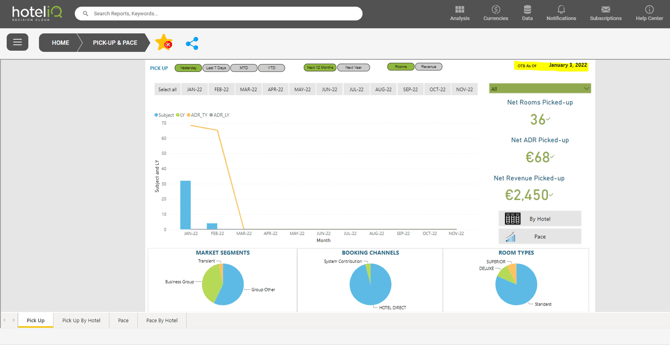
You may check the last update by looking at the ‘OTB As Of' Date in the dashboard. In the example below, the dashboard was last updated on January 3, 2022. Read more about data refresh and update timings here.
2. Reading the dashboard incorrectly
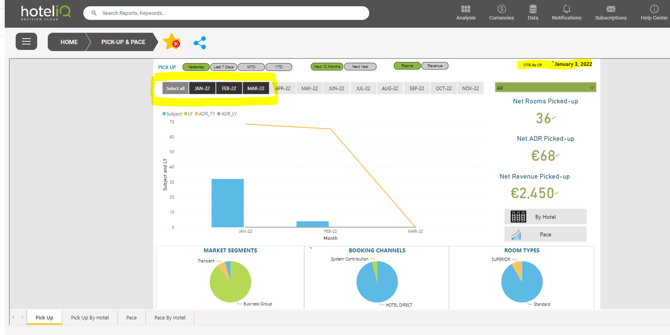
The PUP dashboard only displays forward-looking data. In the example below, the dashboard shows pick up yesterday (January 3, 2022) for stays between January 4-March 31, 2022. As January 1-3 has passed, the dashboard excludes this data. This applies to all tabs in the PUP dashboard.
3. Comparing against the wrong report in HotelIQ
The Pick Up tabs in the PUP dashboard should be compared against the Pick Up by Activity Date or Pick Up by Stay Date reports, while the Pace tabs should be compared against the Pace Analysis report in HotelIQ.
4. Selecting the incorrect pick up and subject date ranges in the reports
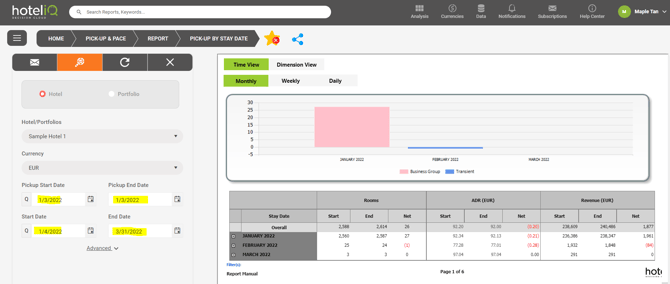
In order to get the data in the PUP dashboard to match up with the Pick Up/Pace reports, the same pick up date range and subject date range must be selected in the reports as with the dashboard.
Example below:
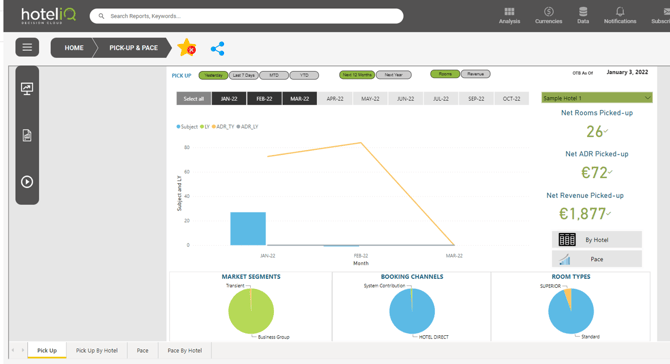
PUP Dashboard: As of January 3, 2022 for stays between January 4-March 31, 2022
Pick Up by Stay Date report
Pick Up Start and End Date: January 3, 2022
Subject Start and End Date: January 4-March 31, 2022